
| 일 | 월 | 화 | 수 | 목 | 금 | 토 |
|---|---|---|---|---|---|---|
| 1 | 2 | 3 | ||||
| 4 | 5 | 6 | 7 | 8 | 9 | 10 |
| 11 | 12 | 13 | 14 | 15 | 16 | 17 |
| 18 | 19 | 20 | 21 | 22 | 23 | 24 |
| 25 | 26 | 27 | 28 | 29 | 30 | 31 |
- rx
- 프래그먼트
- 풀이
- async
- Task
- 프로퍼티
- 알고리즘
- 백준
- 클로저
- 안드로이드
- 자바
- concurrency
- 해시
- 리스트뷰
- 차이
- weak
- 연산자
- 스위프트
- 생명주기
- 프로그래머스
- SwiftUI
- ios
- RxSwift
- Self
- 옵셔널
- Swift
- View
- 구조체
- observable
- Subject
- Today
- Total
study record
[iOS] Liquid Glass in SwiftUI & UIKit 본문
참고한 Meidum 글 :
https://medium.com/icommunity/liquid-glass-in-swiftui-uikit-77d480db1d29
Liquid Glass in SwiftUI & UIKit
In recent years, the glass effect became very popular in design. We can see this style in macOS and iOS 15
medium.com
Liquid Glass란 무엇인가?
Liquid Glass는 Apple의 새로운 디자인 스타일이다.
이 디자인은 동적이고, 몰입감 있으며, 마치 앱이 반짝이는 유리층 위에 떠 있는 듯한 느낌을 준다.
고전적인 블러(blur) 효과를 떠올려 보자. 하지만 그걸 11단계로 끌어올린 버전이라고 생각하면 된다.
반응성이 뛰어나고, 우아하며, 이제 UIKit에 기본으로 내장되어 있다.
💎 Liquid Glass의 특징
- 콘텐츠 위에 떠 있는 느낌 — 툴바, 탭바, 팝오버 같은 요소들이 가볍고 입체적으로 느껴진다.
- 반투명한 재질 — 배경 콘텐츠와 자연스럽게 어우러지며, 다크 모드와 라이트 모드에도 자동으로 적응한다.
- UI 요소의 그룹화 — 툴바의 버튼들이 각자 ‘유리 덩어리(glass cluster)’로 묶여 보인다.
- 진짜 물질처럼 반응 — Liquid Glass는 등장, 튕김, 사라짐 등의 애니메이션을 물방울이 움직이듯 자연스럽게 표현할 수 있다.
✨ 그리고 최고의 부분은…
모든 걸 새로 만들 필요가 없다!
UIKit 앱을 Xcode 26으로 다시 빌드하기만 하면, 시스템 컴포넌트들이 자동으로 Liquid Glass 스타일로 업데이트됩니다.
💡 팁
커스텀하게 쓰고 싶다면 여전히 가능하다.
Apple은 UIVisualEffectView + UIGlassEffect API를 통해
어떤 커스텀 뷰에도 Liquid Glass 효과를 적용할 수 있게 했다.
요약하자면, Liquid Glass는 더 부드럽고, 더 반짝이며, 더 똑똑한 UIKit입니다. ✨
Liquid Glass의 3가지 주요 파트
- Transparency
- Soft corners
- Light border
SwiftUI 는 이러한 효과를 만들기 편하다.
⚡ Simple Liquid Glass Card
.background(.ultraThinMaterial)
.cornerRadius(20)
.overlay(
    RoundedRectangle(cornerRadius: 20)
        .stroke(Color.white.opacity(0.3), lineWidth: 1)
)
🔎 Explanation:
- background(.ultraThinMaterial) → glass effect 를 만듭니다.
- overlay → a light white border를 추가
- opacity → 텍스트와 백그라운드를 조화롭게 만듦
✈️ Gradient Glass Button
a gradient border를 modern style로 만들기
struct GlassButton: View {
    var body: some View {
        Button(action: {
            print("Button tapped")
        }) {
            Text("Liquid Glass Button")
                .fontWeight(.semibold)
                .foregroundColor(.white)
                .padding()
                .frame(maxWidth: .infinity)
                .background(.ultraThinMaterial)
                .cornerRadius(15)
                .overlay(
                    RoundedRectangle(cornerRadius: 15)
                        .stroke(LinearGradient(colors: [.white.opacity(0.7), .clear],
                                               startPoint: .topLeading,
                                               endPoint: .bottomTrailing),
                                lineWidth: 1)
                )
        }
        .padding(.horizontal, 40)
    }
}
🔥 SwiftUI Tips:
- ultraThinMaterial, thinMaterial, regularMaterial, thickMaterial 다른 glass level에 맞게 제공.
- Blur는 GPU를 더 잡아먹을 수 있다. -> 많은 뷰 사용에 조심해야 한다.
- iOS 15+ material api에서 더 빠르고 좋다.
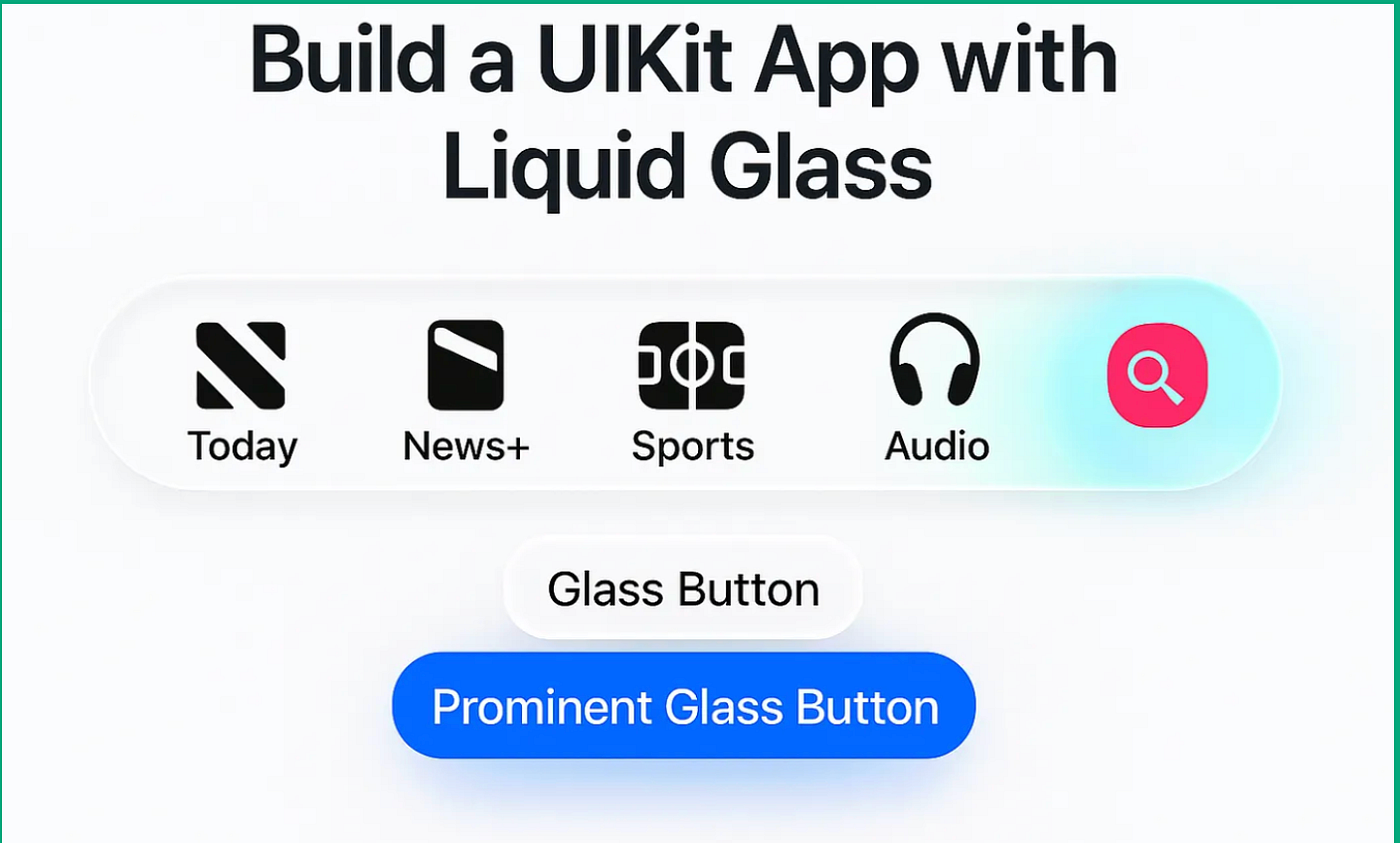
tab bars, toolbars, glassy views & more
Liquid Glass with UIKit
UIKit 은 .ultraThinMaterial를 가지고 있지 않다.
대신에 UIBlurEffect 와 UIVisualEffectView를 사용한다.
let blurEffect = UIBlurEffect(style: .systemUltraThinMaterial)
let blurView = UIVisualEffectView(effect: blurEffect)
blurView.layer.cornerRadius = 20
blurView.layer.borderWidth = 1
blurView.layer.borderColor = UIColor.white.withAlphaComponent(0.3).cgColor
✅ Explanation:
- UIBlurEffect() → glass blur를 추가
- UIVisualEffectView → the transparent background 생성
- layer.cornerRadius and borderColor → glass처럼 보이게 하기
🚀 결론
SwiftUI, UIKit 둘 다 modern Liquid Glass look처럼 만들 수 있다.
- SwiftUI에서는 .background(.ultraThinMaterial)와 함께 더 쉽고 빠르게 만들 수 있음.
- UIKit에서는 UIBlurEffect 와 UIVisualEffectView로 만들 수 있다.
둘 다 앱을 transparent, modern, and stylish Liquid Glass UI로 보이게 한다.
*다른 글에서 디테일한 API 사용을 다뤄보겠습니다 🙏
'iOS' 카테고리의 다른 글
| [iOS] dSYM이란? (2) | 2025.07.27 |
|---|---|
| [iOS] 번들이란? (.app, .bundle, Copy Bundle Resources) (4) | 2025.07.21 |
